If you have been in digital forensics for more than a decade, you probably learned the golden rule of acquisition early on. Always get a physical image. A true bit for bit copy of the drive was the only way to ensure you captured everything. Deleted files, unallocated space, file slack, all of it. That rule made sense for spinning disks and early SSDs. In the modern macOS world, that rule no longer applies.
At SUMURI, we regularly get questions about why Mac acquisitions today look so different from the HFS+ era. The short answer is simple. Apple fundamentally changed how hardware, encryption, and the file system work together.
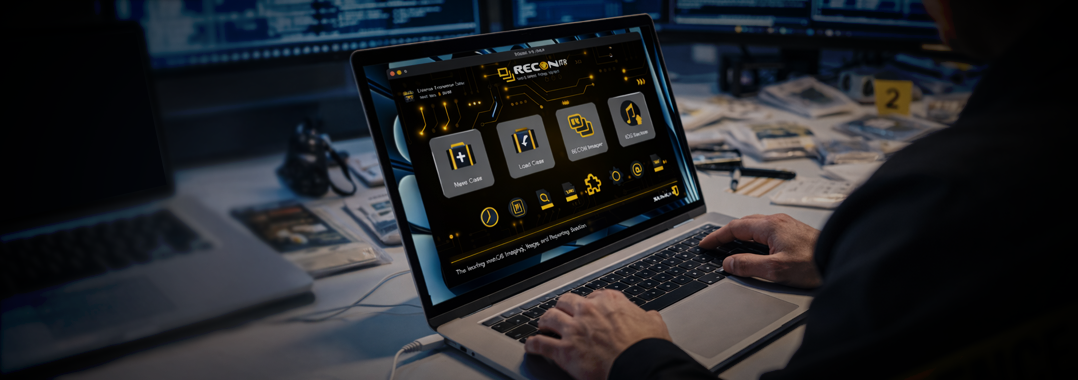
This article explains why physical imaging is effectively dead on modern Macs and how examiners using tools like RECON ITR should approach acquisition today.
The Hardware Shift: From SATA Drives to Silicon Security
The death of physical imaging on Macs did not happen overnight. It followed the same path Apple carved with the iPhone.
Most long time examiners remember when physical acquisition of iPhones became impossible due to Apple’s data at rest encryption model. Data was encrypted at the hardware level and only decrypted on the fly after successful authentication. Desoldering a storage chip and dumping raw bits produced nothing but encrypted noise. That same approach migrated to the Mac.

It began with the T2 Security Chip on Intel systems and became absolute with Apple Silicon systems. These Macs include a Secure Enclave and tightly integrated storage controllers. The SSD is no longer simply attached storage. It is cryptographically bound to the processor itself. Without the hardware keys and proper authentication, the raw data on the physical disk is unreadable. There is no practical path to a true physical image that yields usable data.
The Software Shift: APFS and Synthesized Disks
Even if hardware encryption were not a factor, APFS changed the rules again.
APFS abandoned traditional static partitions in favor of containers and volumes that share space dynamically. These structures are logical, not physical.
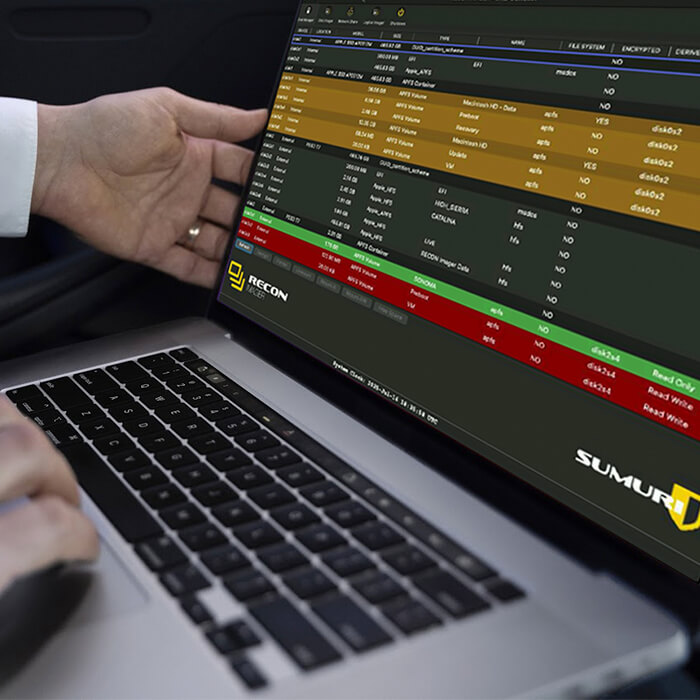
If you run diskutil list on a modern Mac, you will see the physical disk listed separately from a synthesized APFS container. Multiple volumes then live inside that container.
When you image an APFS container, you are not imaging a fixed range of sectors. You are capturing a logical structure assembled by the APFS driver in real time.
When a forensic tool shows a Physical Store, it is important to understand what you are actually seeing. It is a virtual representation managed by the operating system, not raw NAND flash.
This distinction matters, especially when explaining your acquisition method in reports or testimony.
The New Standard: Logical Imaging Done Correctly
Since we cannot access the raw physical layer, modern Mac forensics relies on logical imaging. This is not a downgrade. It is the only way to acquire decrypted, readable, and defensible data from a modern Mac.
In practice, there are three primary logical acquisition strategies commonly used with RECON ITR.
1. Imaging the APFS Container
What it is
Creating an image of the synthesized APFS container.
Why it matters
This is the closest modern equivalent to a full disk image. It captures system and data volumes, snapshots, and extensive metadata.
Trade off
It can be very large. You are acquiring the entire allocated space of the container,a including operating system components that may not be relevant to your case.
Best used when
Maximum completeness is required and time and storage are not primary concerns.
2. Full Logical Acquisition of the Data Volume
What it is
Imaging everything within the Data volume.
Why it matters
Modern macOS separates the read only, cryptographically signed System volume from the writable Data volume. User activity lives almost entirely in the Data volume.
Advantages
You obtain user data, applications, logs, and artifacts without the overhead of static system files.
Best used when
You need comprehensive data but want to reduce acquisition size and time.
3. Targeted Acquisition of a User Home Folder
What it is
Imaging only /Users/username.
Why it matters
macOS enforces strict user separation. In many cases, nearly all relevant evidence exists within a single user profile.
Advantages
Fast, efficient, and highly focused.
Best used when
Time is critical, or when performing triage, eDiscovery, or scoped internal investigations.
What About Unallocated Space and Data Carving
This is usually the hardest concept to let go of. On modern Macs using APFS, traditional unallocated space still exists at a logical level, but it is rarely recoverable in any meaningful way.
Almost all modern Macs use SSDs with hardware encryption, TRIM, and internal garbage collection. When a file is deleted, macOS marks the logical blocks as no longer in use and issues TRIM commands to the SSD. From that point forward, the SSD controller is free to erase or reuse those blocks internally at any time.
Because storage is hardware encrypted, any blocks that are erased or rekeyed by the controller become cryptographically unrecoverable, even if residual data once existed in the physical cells.
As a result, by the time an examiner acquires a modern Mac:
- Unallocated space typically contains zeros, encrypted noise, or remapped blocks
- File carving produces little to no usable results
This is not a tooling limitation. It is a consequence of APFS design, SSD behavior, and hardware level encryption.
Final Thoughts
Mac forensics has evolved.
We are no longer pulling raw sectors from drives. We are working within layered systems protected by encryption, secure hardware, and logical file system constructs.
Understanding the difference between the physical disks of the past and the synthesized containers of today is critical for defensible modern Mac investigations.
Adapt your workflow to the architecture, and tools like RECON ITR will give you exactly what matters. Valid, readable, and court defensible evidence.